AI integration and process automation: how your company can work faster, with fewer errors
Invoices, emails, tickets, data entry: AI now understands unstructured documents, and the workflow carries out the tasks. We show how it works, what it is worth in a worked example and what to watch out for during implementation.
A large part of an average office day is spent on repetitive tasks: typing in data from incoming invoices, forwarding emails to the right colleague, recording customer requests, copying data from one system to another. These tasks are necessary, but they do not create value – and they are exactly the ones that can now be reliably handed over to machines. Together, AI integration and process automation let your people focus on decisions, customers and real professional work.
What is the difference between classic automation and AI integration?
Classic process automation (for example n8n, Zapier or RPA tools) works based on rules: "when a new order arrives in the webshop, create the invoice and send an email". It is fast and reliable, but it only works with structured data – fields that are always in the same place and in the same format.
In reality, however, much of a company's data is unstructured: free-text emails, PDF invoices in varying layouts, scanned delivery notes, phone call notes. This is where AI comes in: large language models (LLMs) can read and understand these documents and turn them into structured data.
| Aspect | Classic automation | AI integration |
|---|---|---|
| Input | Structured data (forms, APIs, spreadsheets) | Text, email, PDF, images, audio |
| How it works | Predefined rules | Understanding, classification, extraction, writing |
| Changing formats | Breaks when the format changes | Handles them flexibly |
| Strength | Precise, fast, predictable execution | Steps that need "human" interpretation |
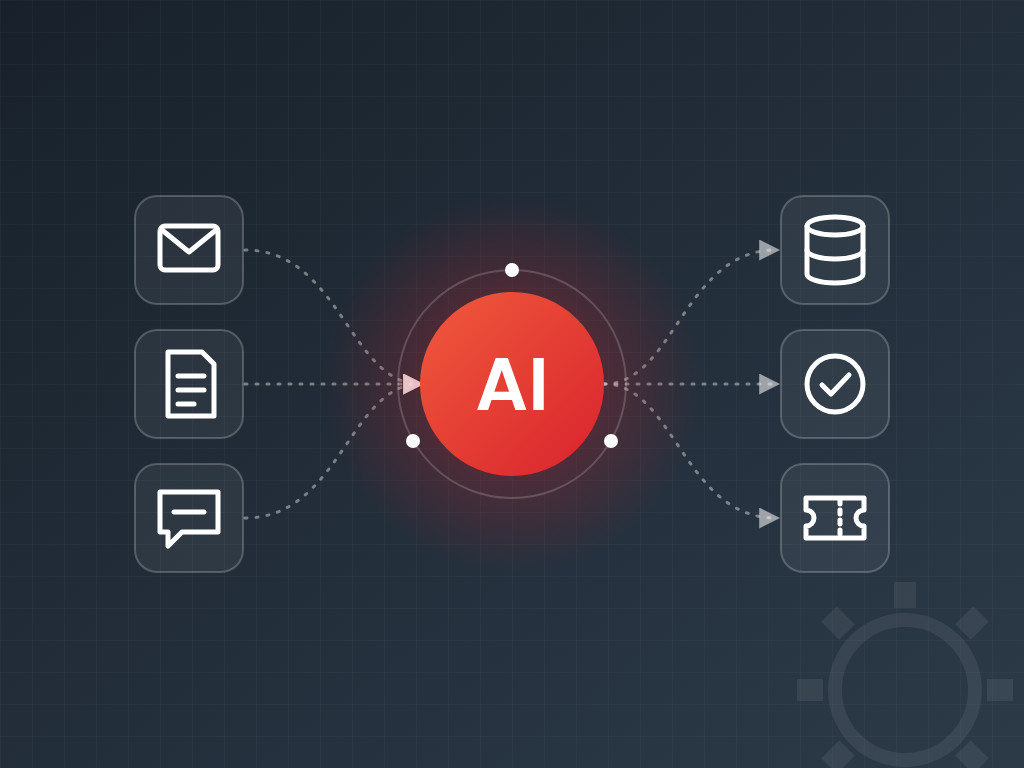
The best results come from combining the two: AI understands the incoming information, and the workflow executes the tasks in the company's systems – in a controlled, logged and auditable way.
How does an AI-assisted process work?
Take the processing of incoming supplier invoices as an example. A well-designed process looks like this:
- Trigger: an invoice arrives by email at the invoices@ address or is uploaded to a folder.
- Understanding: AI extracts the supplier name, tax number, invoice number, dates, line items and amounts, and returns them in a structured format (JSON) – even if every supplier sends invoices with a different layout.
- Validation: the workflow checks the data against rules: does the supplier exist in the system, does it match the purchase order, does net + VAT = gross, has the same invoice already been recorded.
- Human approval when needed: if every check passes, the invoice moves on automatically; if there is a discrepancy or the AI is uncertain, the system sends it to a colleague for approval – with the problem already highlighted.
- Execution: the invoice is recorded in the ERP or accounting software, the PDF is archived, and the person responsible is notified.
- Logging and measurement: every step is traceable, and you can see how many invoices went through automatically and how many needed manual review.
This pattern is called "human-in-the-loop": the machine does the routine work, while people handle the exceptions and make the decisions. Efficiency goes up, and control stays in place.
Typical use cases
- Invoice and document processing: extracting and recording data from supplier invoices, delivery notes, purchase orders and contracts.
- Handling incoming email: classifying by topic and urgency, routing to the right person, drafting replies based on the company knowledge base.
- Creating tickets: turning a customer complaint or bug report into a categorised, prioritised ticket in the helpdesk system.
- CRM data entry: customer records and tasks updated automatically from enquiry emails, forms and call notes.
- Preparing quotes: a draft quote prepared from the customer's requirements and the price list, which a colleague only needs to review.
- Accessing internal knowledge: RAG-based search across policies and documentation, so nobody has to spend hours looking for information.
- Reports and summaries: weekly sales, production or customer service summaries generated automatically, with clear written explanations.
Worked example: what is automating invoice processing worth?
Let's look at the accounts payable process of a medium-sized company. The figures below are illustrative assumptions, but they show the order of magnitude well:
| Data | Value |
|---|---|
| Incoming invoices | 1,500 / month |
| Manual processing time (open, type in, check, file) | 5 min / invoice |
| Share of invoices processed fully automatically (after rollout) | 80% |
| Manual review of exceptions (problem already highlighted) | 1.5 min / invoice |
| Spot check of automatically processed invoices | 15 s / invoice |
| Fully loaded labour cost (wages + contributions) | HUF 6,000 / hour |
1. Effort today
1,500 × 5 min = 7,500 min = 125 hours / month
2. Effort after automation
Exceptions: 1,500 × 20% × 1.5 min = 300 × 1.5 = 450 min
Spot checks: 1,500 × 80% × 0.25 min = 1,200 × 0.25 = 300 min
Total: 750 min = 12.5 hours / month
3. Savings
125 − 12.5 = 112.5 hours / month → 112.5 × HUF 6,000 = HUF 675,000 / month
Based on 160 working hours per month, this equals:
112.5 hours160 hours ≈ the capacity of 0.7 full-time employees
4. Payback
Assume a one-off implementation cost of HUF 3,000,000 and ongoing running costs (AI model usage, server, maintenance) of HUF 80,000 / month:
Net monthly savings = 675,000 − 80,000 = HUF 595,000
Payback period = HUF 3,000,000HUF 595,000 / month ≈ 5 months
First-year net result = 12 × 595,000 − 3,000,000 = HUF 4,140,000
The financial savings are only one side of it. Just as important: invoices are in the system in minutes instead of days, the cash position is always up to date, payment deadlines are not missed, and the freed-up time can go into analysis, supplier negotiations or financial planning.
Why it matters for a company
- Growth without proportional headcount. If your business volume doubles, you do not need to double the administrative team. An automated process handles 500 or 5,000 documents just the same.
- Coping with labour shortages. Where good people are hard to find, it is especially valuable that existing colleagues do not spend their time on routine tasks.
- Faster service. Customers today expect a response within minutes. An enquiry that is classified and routed automatically does not get lost in a shared inbox.
- Fewer errors. Manual data entry inevitably makes mistakes – a mistyped amount, swapped digits, a missing line item. Automatic extraction and rule-based validation filter most of these out.
- Better data, better decisions. When data enters your systems immediately and in a consistent format, management reports are up to date and reliable.
- Happier employees. Few people enjoy spending hours a day typing and copying. Removing monotonous tasks reduces burnout and staff turnover.
- Competitive advantage. A company that sends quotes faster, responds to complaints faster and runs at a lower cost can offer more competitive prices and better service.
What makes processes more efficient?
- No more waiting. In manual processes, most of the time is not spent working but waiting: the task sits in an inbox or on a desk. An automated step runs immediately, at night and at weekends too.
- Parallel processing. The system processes a hundred incoming emails at once, not one after another.
- Consistent quality. Every document goes through the same checks, whether it arrived on Friday afternoon or Monday morning.
- Flexible scaling. At seasonal peaks (year-end closing, sales campaigns) there is no need for overtime or temporary staff.
- Knowledge is not tied to individuals. The steps and rules of the process are documented and live in the system – nothing is lost when a colleague goes on holiday or leaves.
- Measurable processes. Lead time, the share of exceptions and bottlenecks become visible, so the process can keep improving.
What to watch out for during implementation
- AI can make mistakes. Language models sometimes get things wrong or "invent" data. That is why critical steps need rule-based validation, confidence thresholds and human approval – the AI proposes, the system checks.
- Data protection (GDPR). It is important to know where the data is processed. For sensitive data, a service running in an EU data centre or an in-house AI model is the right choice, with an appropriate data processing agreement.
- Security. The automation only gets the permissions it needs for its task. Prompt injection deserves special attention: the text of an incoming email may try to "instruct" the AI, so external content must always be treated as data, not instructions, and dangerous actions require approval.
- Transparency. If customers interact with AI-generated replies or a chatbot, this should be disclosed; the EU AI Act also sets transparency requirements of this kind.
- Cost control. AI model usage is typically billed by the volume processed. Monitor it, and where possible use smaller, cheaper models for simple tasks.
- Involving your people. Automation succeeds when colleagues see it as help rather than a threat. They know the exceptions of the process best – involve them in the design.
How to get started
- Process review: list the tasks that are frequent, repetitive and involve a lot of manual data handling.
- Selection: choose a well-defined process with high volume and measurable results (for example invoice processing or classifying customer service emails).
- Measure the baseline: how much time, how many items, what error rate – without this, the results will not be visible later.
- Pilot in 4–6 weeks: a working prototype on real data, with human approval at every step.
- Gradual automation: where accuracy is proven to be sufficient, approval can be replaced with spot checks.
- Roll out further: reuse the proven pattern and infrastructure (for example your own n8n instance) for additional processes.
Summary
AI integration and process automation are no longer a privilege of large enterprises: with the right tools, a small or medium-sized company can introduce a process within weeks that pays for itself within months. The company responds faster, makes fewer mistakes, handles more volume with the same team, and employees can focus on value-creating work instead of routine. The keys to success are a well-chosen first process, keeping humans in control and continuous measurement.
If you would like to know which of your processes can be automated with the fastest payback, book a free consultation with us – we will go through the options and propose a first pilot project.